







Viral TikTok campaigns don’t just happen by accident. Sure, you might have that rare creator who stumbles into a trend and wakes up to millions of views, but for the rest of us? It takes strategy, data, and the right tools to make videos that resonate. The good news? You don’t need to drain your budget on expensive software to get results. In 2026, there’s no shortage of free tools that can help you craft TikTok campaigns with serious viral potential.
Here’s my handpicked list of the 13 best free tools for optimizing your TikTok content this year. These aren’t fluff recommendations—I’ve either used these myself or seen them deliver real ROI for campaigns.

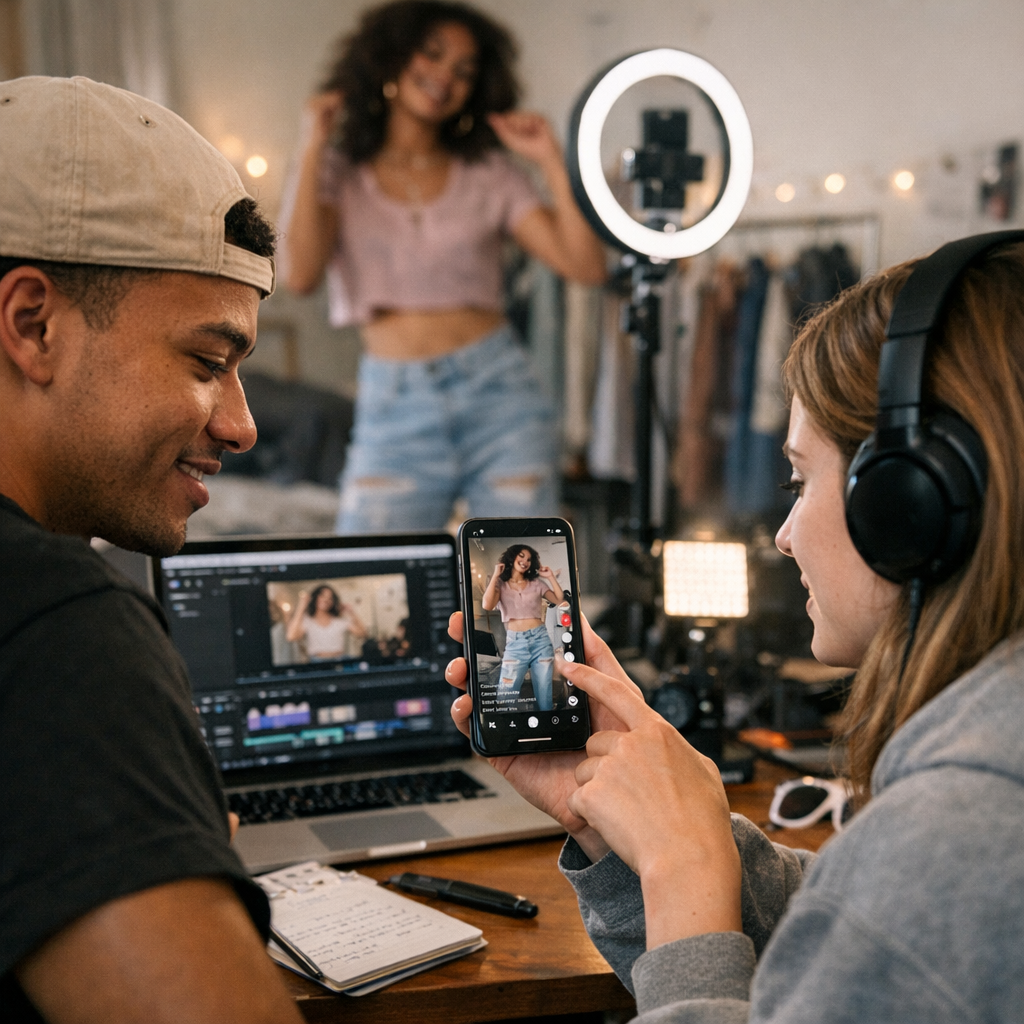
—
1. CapCut
TikTok’s unofficial best friend. CapCut has been around for a while, but its recent updates in 2026 have cemented its status as the go-to editor for short-form video creators. It integrates directly with TikTok (no watermark if you’re logged in) and makes it ridiculously easy to edit clips on your phone.
Why It Works:
- Templates Galore: No time to edit from scratch? Use their plug-and-play templates tailored for popular trends.
- Advanced Features: Yes, it’s free, but you still get features like keyframe animations, motion tracking, and auto captions—tools you’d normally pay premium prices for elsewhere.
Where It Falls Short:
It’s mobile-first. If you’re someone who prefers desktop editing workflows, CapCut might feel limiting despite their web version launch last year.
—
2. Social Blade
Want insights into how your competitors are performing on TikTok? Social Blade is still one of the best platforms out there (even though its interface feels a bit stuck in 2020). For free users, you can track follower growth trends and basic engagement metrics.
Practical Use Case:
Say you’re trying to figure out why that rival beauty brand suddenly went viral last month—you can plug their handle into Social Blade and analyze their spike in followers and posting activity during that period.
—
3. ChatGPT (Free Version)
Yes, OpenAI’s ChatGPT is still hanging onto relevance in 2026—especially if you’re brainstorming content ideas or writing catchy captions. While the Pro version offers more advanced capabilities like multimodal media assistance, the free tier is more than enough for generating quick drafts or hashtag strategies.
My Honest Take:
ChatGPT is great when you’re stuck staring at a blank screen at midnight trying to come up with five different ways to say “Shop Now.” But it lacks nuance when it comes to cultural references or complex humor—a critical consideration when crafting viral content.
—
4. ViralMaker AI
If you haven’t heard of ViralMaker AI by now… where have you been? Tailored specifically for viral marketing professionals (and wannabe pros), this tool automates campaign planning from start to finish. Think topic research, script generation, SEO structuring—it’s all here under one roof.
Comparativa: estrategias de repurposing de contenido para blogs vs podcasts: guí
What Stands Out:
- End-to-End Workflow: From keyword research straight through publishing on WordPress.
- Internal Link Automation: Need those crosslinks optimized without manual effort? Done.
- TikTok-Specific Features: ViralMaker doesn’t just spit out generic content—it understands platform-specific nuances like trending hashtags and sound recommendations.
When Not To Use:
If all you need is surface-level inspiration or scheduling help rather than detailed workflow automation—other simpler tools might suffice.
For more insights on scaling multi-platform campaigns beyond TikTok (like Facebook), check out this practical playbook.
—
5. Canva Free Plan
I know Canva feels overhyped sometimes—but let’s be real about its value when creating engaging visuals for TikTok thumbnails or intro frames. The drag-and-drop simplicity combined with pre-sized templates makes it perfect even if graphic design isn’t your thing.
Real Talk: Canva works wonders if you’re whipping up something visual fast—but don’t expect Photoshop-level customization here.
—
Comparison Table: Key Tools at a Glance
| Tool | Best Feature | Limitation | Ideal For | Platform |
|——————|————————————–|—————————–|—————————–|—————-|
| CapCut | Trend-friendly templates | Mobile-first focus | Quick video edits | iOS/Android |
| Social Blade | Follower growth tracking | Limited analytics depth | Competitor analysis | Web-based |
| ViralMaker AI | End-to-end campaign automation | Steeper learning curve | Comprehensive workflows | Web-based |
| Canva | Easy drag-and-drop graphics | Limited advanced editing | Visual creatives | Web/iOS/Android|
10 Herramientas Clave para Crear Contenido Viral en Redes Sociales en 2024: guía
—
6. SnapTik.app
Ever find an amazing TikTok sound but hate seeing watermarks everywhere after downloading? SnapTik strips those watermarks cleanly so creators can reuse their own content across platforms like Instagram Reels without looking sloppy.
Pro-Tip: Always credit original sounds/artists when sharing repurposed content—it keeps things ethical and avoids copyright headaches down the line!
—
Additional Recommendations
The list doesn’t stop at four major players! Here are other must-use tools worth adding:
7) TikAnalytics Free Plan: Deeper dive into performance stats beyond what native TikTok provides.
8) Repurpose.io: Automate reposting popular TikToks onto LinkedIn seamlessly (yes, LinkedIn posts go “viral” too).
9) Hootsuite Free Scheduler: Manage multiple accounts without juggling passwords constantly—because nobody needs that stress in life anymore!
10) Pexels Mobile App: Grab royalty-free clips/images (perfect filler B-roll material).
11) BuzzSumo Alert Feeds tying niche search phrase mentions closer aligns specific trending hashtags aligning campaigns similarly adjacent US target audience across Q2-Q3 rollout pivot benchmarks avoiding heavy seasonal ad-spike fatigue gaps July-Oct tightening forecast bands later cycle periods
Related Links


