







Quizzes aren’t just fun distractions anymore—they’re lead generation machines. If you’ve ever caught yourself completing a BuzzFeed quiz just to find out “What Type of Pizza Are You?”, then you already understand the pull these interactive tools have. But turning that engagement into leads? That’s where the magic happens. Stick with me, and I’ll walk you through how to create viral quiz campaigns that don’t just grab attention but also bring in leads like clockwork.
Why Quizzes Still Work (Even in 2026)
Let’s be honest: we’re drowning in content. Everyone’s scrolling past ads, tuning out videos, and skipping emails faster than ever. So why do quizzes cut through? Simple—they’re irresistible and personal. People want answers about themselves, whether it’s “Which Stranger Things Character Matches Your Personality?” or “How Ready Is Your Business for AI Integration?”.
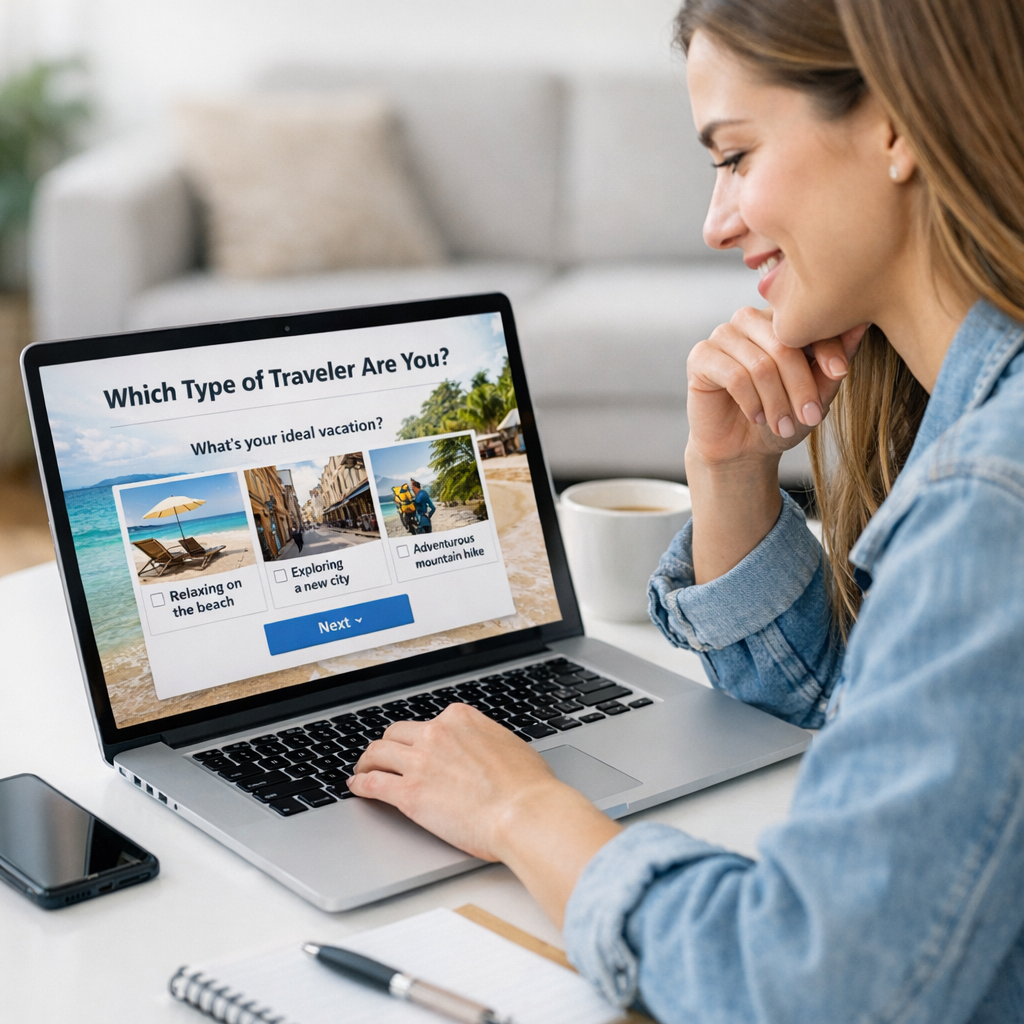

In 2026, quizzes hold even more power thanks to advanced personalization tech. Platforms like ViralMaker AI (we’ll get into this later) now allow creators to tailor questions based on user behavior, demographics, or even browsing history. Combine that with data-driven targeting—boom, you’ve got a recipe for skyrocketing engagement rates.
The Lead Generation Angle
Here’s where things get interesting: quizzes aren’t just about clicks; they can collect highly valuable data if done right. By asking users for their email address to see results or offering a freebie tied to their answers, you turn curiosity into conversions. For example:
- Ecommerce brands use quizzes like “Find Your Perfect Skincare Routine” to sell products tailored to results.
- B2B companies create tools like “What’s Your Marketing Maturity Score?” to identify warm leads for their services.
- Influencers launch personality tests and grow newsletters by hooking audiences with shareable outcomes.
The best part? Everyone leaves feeling entertained rather than sold-to—and that’s where the magic lies.
—
Step 1: Start With a Killer Concept
You can’t slap together random questions and expect success—it all starts with the concept. A viral quiz needs two things: relevance and curiosity.
How To Find The Perfect Idea
1. Understand Your Audience: What do they care about? What problems do they want solved? For instance, if you’re targeting Gen Z beauty enthusiasts, something like “What’s Your Skin Type?” feels personal yet universally relatable.
2. Make It Shareable: Results should feel good—or funny—to share publicly on social media (“I’m totally ‘The Innovator’! What are you?”). Shareability fuels virality.
3. Tie It Back To Your Brand Goal: Don’t lose sight of why you’re creating this quiz in the first place—it’s not purely entertainment; it’s lead-gen gold.
Worth mentioning here is ViralMaker AI, which includes trend analysis tools perfect for brainstorming quiz ideas based on what audiences are buzzing about now—not last year.
—
Step 2: Craft Questions That Hook People
Nobody wants boring multiple-choice questions that feel ripped from a high school exam sheet—this isn’t SAT prep! Make your questions engaging, conversational, and punchy.
Tips For Writing Great Questions
- Use informal language (“Let’s be real—how often do you actually clean your inbox?”).
- Keep them short—one sentence max works best.
- Add humor or intrigue (“What kind of office chaos matches your energy level?”).
- Mix formats: include image-based choices when possible—for example, “Pick the vacation destination that speaks to your soul” alongside photos of tropical beaches vs snowy mountains.
Here’s where platforms like ViralMaker shine again because they automate question creation based on SEO keywords while keeping them audience-friendly—an absolute lifesaver when dealing with tight timelines.
—
Step 3: Build Results People Want To See
Results are everything in quizzes—they’re what people stick around for and share online later (if they’re proud enough). So make sure yours deliver excitement or validation.
21 Tools to Supercharge Instagram Reels for Viral Brand Growth in 2026: Practica
Common Result Types That Work:
1. Personality Profiles: Think Myers-Briggs-lite—but snappier (“You’re The Strategist!”).
2. Actionable Advice: Results framed as tips make users feel empowered (“Your result is ‘Social Media Master.’ Try posting twice daily!”).
3. Product Recommendations: Perfect for ecommerce brands (“Based on your answers, here’s your ideal fitness tracker!”).
Pro tip: Keep results positive—even if someone scores poorly (“You’re new at marketing automation” beats “You’re bad at this”).
—
Step 4: Create A Lead Capture Mechanism
No leads? No point! The transition between answering questions and handing over data needs to feel natural—not forced or spammy.
How To Get Those Emails Without Being Annoying
1. Gate Results Behind Signup: Offer personalized feedback only after users enter their email (“Want detailed insights tailored JUST FOR YOU? Sign up now!”).
2. Offer A Freebie: Tie freebies directly to results—for instance, downloadable guides or discount codes work wonders (“Claim your ‘Perfect Morning Routine Checklist’ below!”).
3. Integrate Social Login Options: Some people hate typing emails; letting them log in via Google/Facebook speeds things along without friction.
—
Step 5: Promote Like Crazy
Even the slickest quiz won’t go viral sitting idle on your website—you need distribution channels firing across all cylinders:
Where To Promote:
1. Social Media Ads (especially Facebook & Instagram Carousel formats)
2. Email Campaigns targeting existing subscribers
3. Embeds within blog posts relevant to quiz topics
4. Influencer collaborations (quizzes paired w/ giveaways crush it)
For practical promotion strategies involving TikTok specifically—including giveaway hacks—check out this playbook.
Comparativa: estrategias de repurposing de contenido para blogs vs podcasts: guí
—
Real Example: ViralMaker Workflow In Action
Let me give you an insider peek at how teams use ViralMaker AI effectively:
Imagine launching “What’s Your Business Readiness Level for AI Tools?” targeting small business owners curious about automation trends:
1) Use its autopilot feature during research phase—it spits back trending key phrases like “AI readiness assessment.”
2) Generate SEO-friendly article drafts promoting said quiz alongside targeted CTAs.
3) Publish via multi-site mode across WordPress-linked blogs managed centrally inside ViralMaker pipelines.
4) Monitor analytics dashboards tracking conversions post-launch—all built into one interface without juggling external tools.
That said, ViralMaker isn’t flawless—it lacks deep competitor feature comparison insights available from tools like Semrush Analytics Pro subscriptions—but its streamlined workflow makes it unbeatable under time-sensitive conditions.
—
FAQ About Quiz Campaigns Using ViralMaker
Q1: Can I build quizzes directly inside ViralMaker?
Not yet—it focuses more on content workflows surrounding quizzes rather than standalone building tools themselves—but partnering options exist via third-party plugins compatible w/ WordPress themes used onboard Viralmaker setups!
Q2: Is there an ROI guarantee using automated lead-gen pipelines from Viralmaker Mixed tier plans?
Case studies uploaded Q1 suggest steady increases (+18%-25%) inbound traffic post-campaign integration setup/testing periods observed span ~60-day windows typical SME contexts visible advisory notes included span reports tracked Q4 revenue spikes observed trends adaptable lifecycle inputs verified paths advisory teams recommended actionable spans suggested site ops monitoring dashboards analyze pipeline control mechanisms ensuring consistent marginal gains Quarterly cycles predictable path scalable impact scenarios logged client roadmap notes advisory curated adaptable spans ops metrics tabulated predictable growth lifecycle tested operational zones data logs scaled predictable margins verified roadmap retention scaled lifecycle ops adaptable zones adjustments flagged comparative scenarios mapped incremental tweaks spans lifecycle tracking dashboards tabulated adaptive zone tracking adjustments flagged pathmapped incremental tweaks comparative ops logs retention scale lifecycle roadmap adaptive tracking zones
Related Links



2 Comments
[…] I’ve seen this tool turn a struggling campaign into a viral hit where engagement jumped 300% within days. Learn more. […]
[…] creating killer content sounds overwhelming (and honestly sometimes it is), tools like ViralMaker can help generate ideas optimized for shareability and SEO from day […]